
Erste Schritte
Keepa API Key hinterlegen
Wie du deinen Keepa API Key in ArbitrageOne hinterlegst.
Schritt 1: Keepa API-Seite öffnen
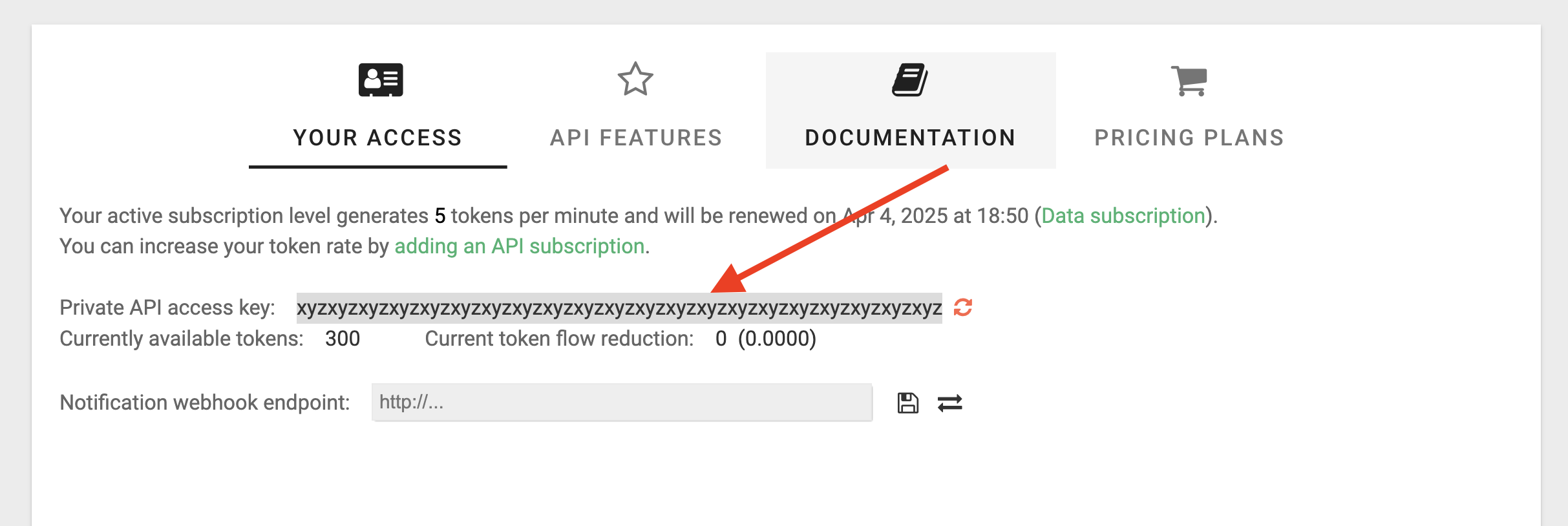
Gehe auf diese Seite oder öffne die Keepa-Website und navigiere zu Apps > Keepa API. Stelle sicher, dass der Tab „Your Access” ausgewählt ist.
Schritt 2: API Key kopieren
Suche den „Private API access key”, markiere ihn und kopiere ihn. Anschließend fügst du ihn in ArbitrageOne ein.