
Getting Started
Add Keepa API Key
How to store your Keepa API Key in ArbitrageOne.
Step 1: Open the Keepa API page
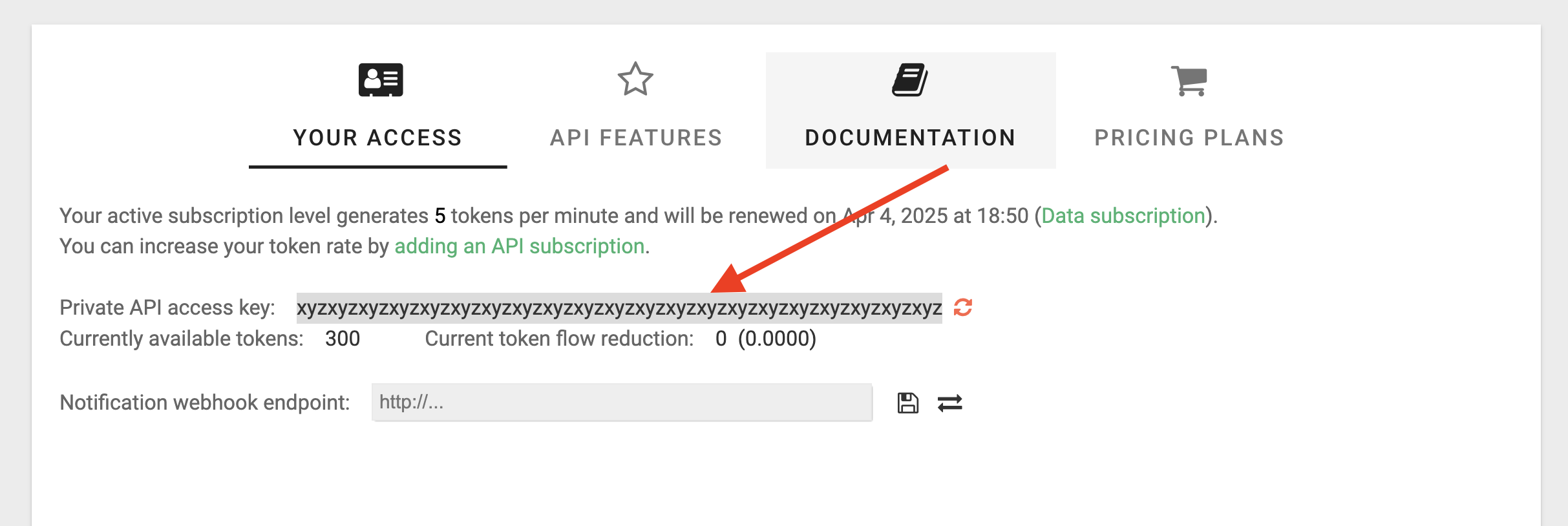
Go to this page or open the Keepa website and navigate to Apps > Keepa API. Make sure the “Your Access” tab is selected.
Step 2: Copy the API Key
Find the “Private API access key”, select it and copy it. Then paste it into ArbitrageOne.