> ## Documentation Index
> Fetch the complete documentation index at: https://docs.arbitrageone.de/llms.txt
> Use this file to discover all available pages before exploring further.
# Configurazione BuyBotPro
> Configura BuyBotPro per usarlo con ArbitrageOne.
Tutte le tue sorgenti d'acquisto vengono memorizzate cifrate e possono essere decifrate solo con il tuo account. Non abbiamo mai accesso alle tue sorgenti in chiaro.
**Importante:** Dopo aver creato lo sheet in ArbitrageOne, non devi più modificare lo sheet né eliminare righe.
## **Passo 1: Collegare il tuo account Google a BuyBotPro**
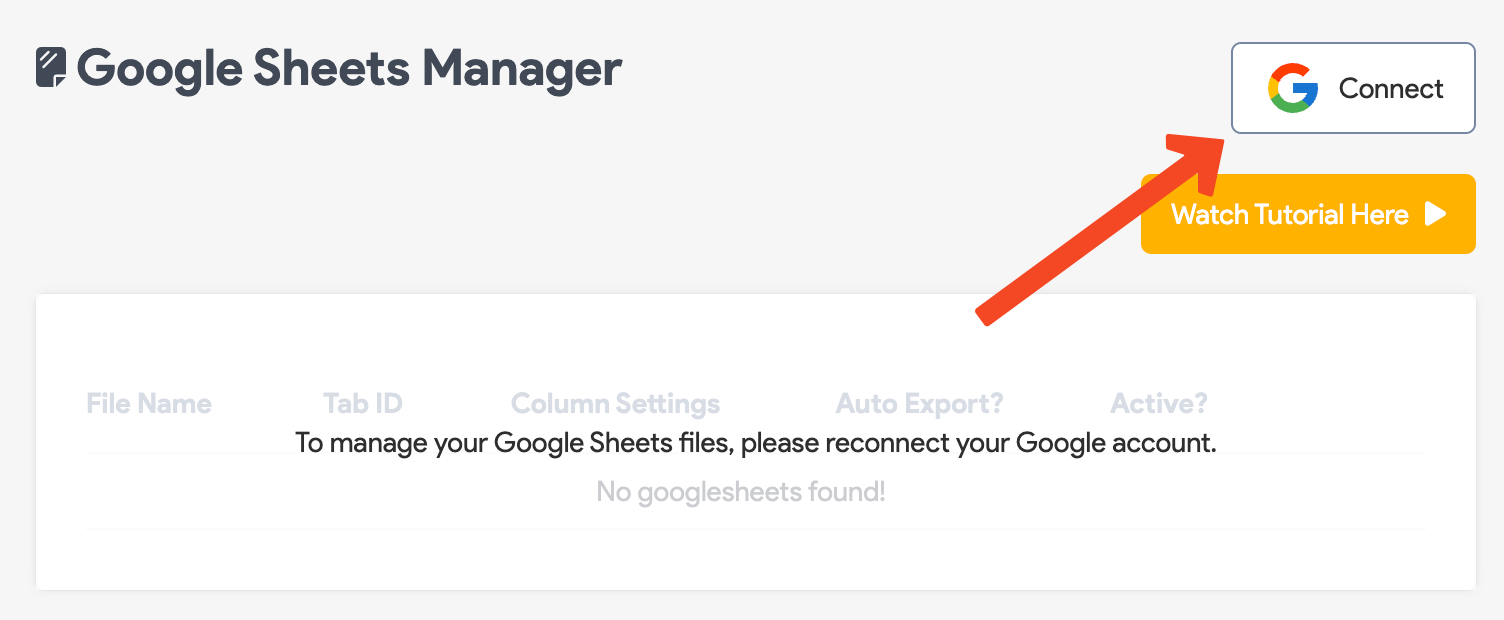
Clicca su **Connect** e segui le istruzioni per collegare BuyBotPro al tuo account Google.
 ## **Passo 2: Creare un Google Sheet**
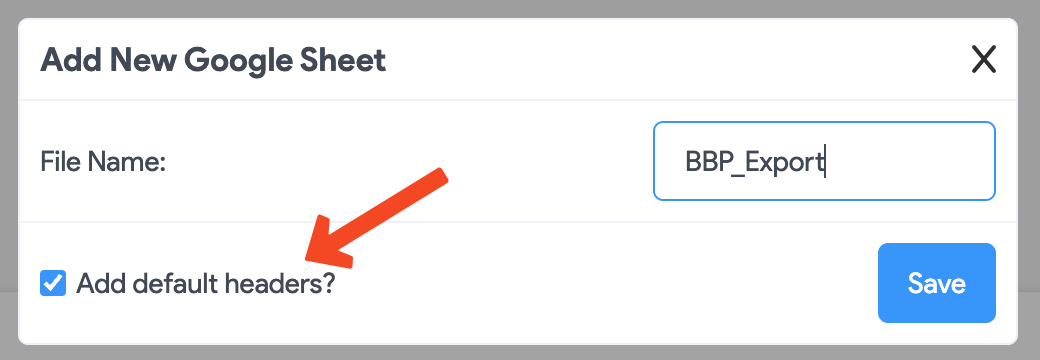
Clicca su **"Add default headers?"** e poi su **Save**.
## **Passo 2: Creare un Google Sheet**
Clicca su **"Add default headers?"** e poi su **Save**.
 **Apri il Google Sheet in una nuova scheda. Per farlo clicca sul pulsante seguente.**
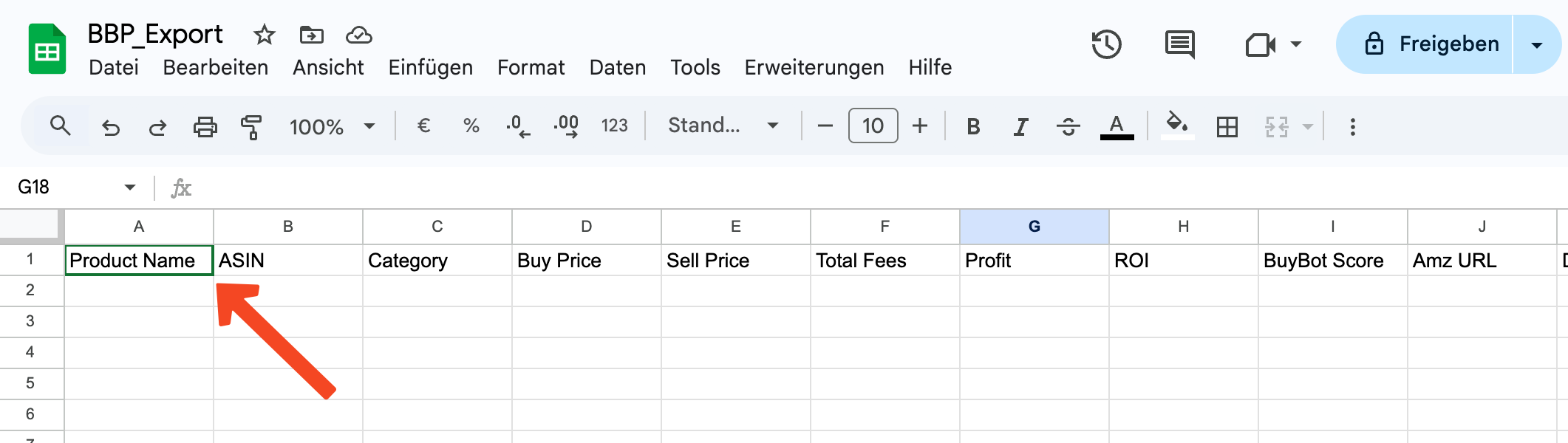
**IMPORTANTE: controlla che gli header siano presenti nella prima riga. In caso contrario, ArbitrageOne non può importare i dati.**
**Prima di condividere il Google Sheet con ArbitrageOne e BuyBotPro, dovrebbe apparire così.**
**Apri il Google Sheet in una nuova scheda. Per farlo clicca sul pulsante seguente.**
**IMPORTANTE: controlla che gli header siano presenti nella prima riga. In caso contrario, ArbitrageOne non può importare i dati.**
**Prima di condividere il Google Sheet con ArbitrageOne e BuyBotPro, dovrebbe apparire così.**
 **Se gli header mancano, clicca [qui](https://docs.google.com/spreadsheets/d/1Oebal-DF0Z1_k8CR65ifKhBTjXISmSYLfS73nJhxfuY/edit?gid=0#gid=0) per aprire il template BuyBotPro.**
**Copia la prima riga dal template seguente e incollala nella prima riga del tuo Google Sheet.**
## **Passo 3: Condividere il Google Sheet**
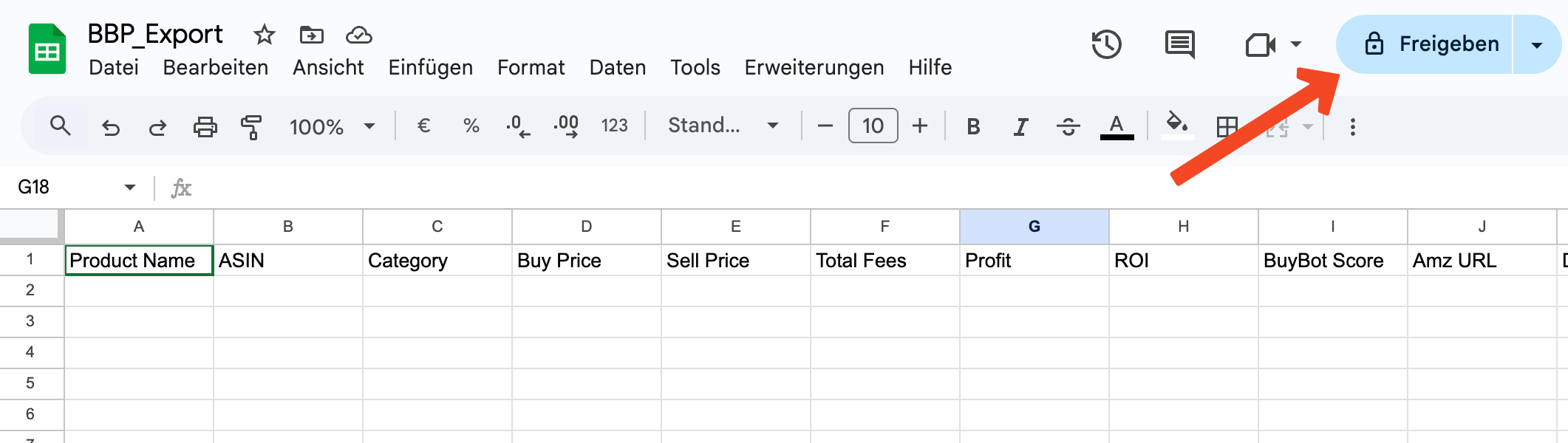
Clicca su *Condividi* qui.
**Se gli header mancano, clicca [qui](https://docs.google.com/spreadsheets/d/1Oebal-DF0Z1_k8CR65ifKhBTjXISmSYLfS73nJhxfuY/edit?gid=0#gid=0) per aprire il template BuyBotPro.**
**Copia la prima riga dal template seguente e incollala nella prima riga del tuo Google Sheet.**
## **Passo 3: Condividere il Google Sheet**
Clicca su *Condividi* qui.
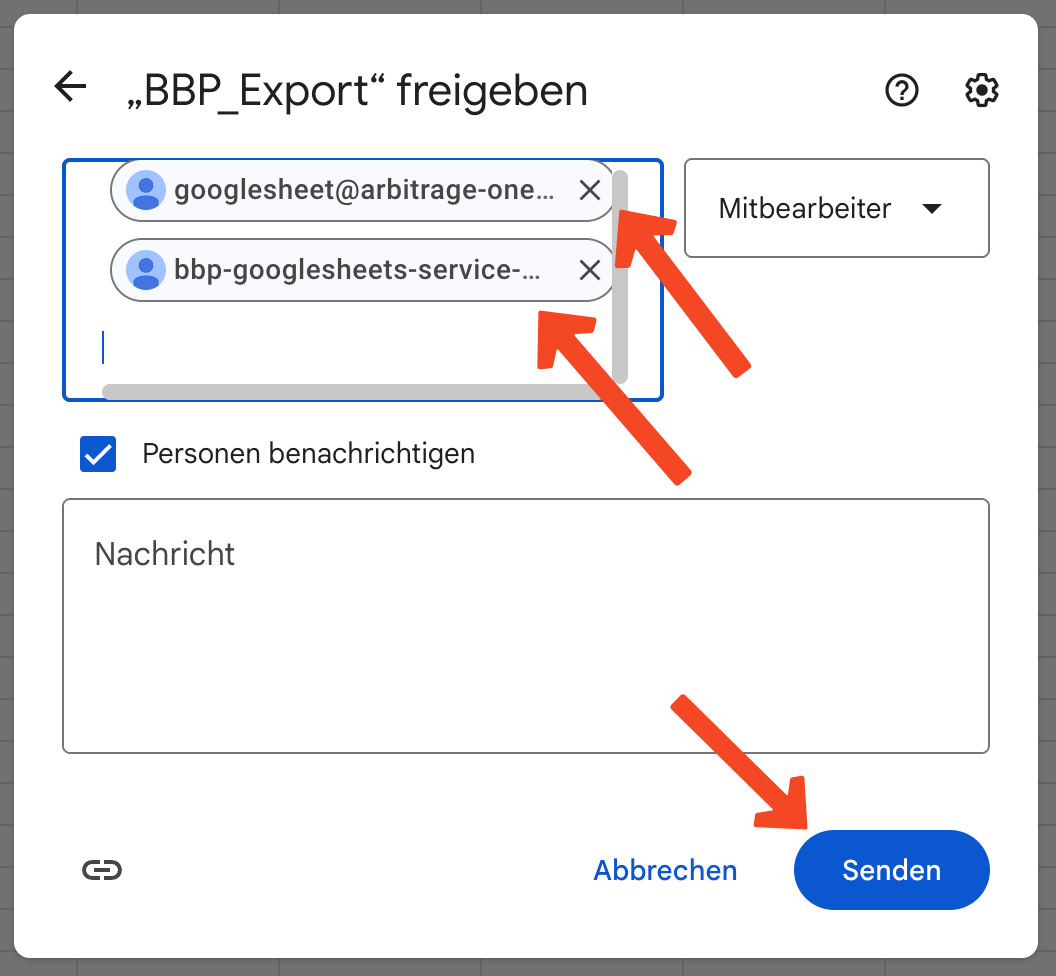
 Si apre un overlay. Aggiungi qui i service account ArbitrageOne:
[googlesheet@arbitrage-one.iam.gserviceaccount.com](mailto:googlesheet@arbitrage-one.iam.gserviceaccount.com)
[bbp-googlesheets-service-acc@buybotpro-bbp.iam.gserviceaccount.com](mailto:bbp-googlesheets-service-acc@buybotpro-bbp.iam.gserviceaccount.com)
Nota: il service account non è un account Google ordinario. È necessario per recuperare i dati in forma cifrata. Il team ArbitrageOne non può accedere a questo service account né visualizzare gli sheet.
Tutte le tue sorgenti d'acquisto vengono memorizzate cifrate e possono essere decifrate solo con il tuo account. Non abbiamo mai accesso alle tue sorgenti in chiaro.
Poi clicca su *Invia*.
Si apre un overlay. Aggiungi qui i service account ArbitrageOne:
[googlesheet@arbitrage-one.iam.gserviceaccount.com](mailto:googlesheet@arbitrage-one.iam.gserviceaccount.com)
[bbp-googlesheets-service-acc@buybotpro-bbp.iam.gserviceaccount.com](mailto:bbp-googlesheets-service-acc@buybotpro-bbp.iam.gserviceaccount.com)
Nota: il service account non è un account Google ordinario. È necessario per recuperare i dati in forma cifrata. Il team ArbitrageOne non può accedere a questo service account né visualizzare gli sheet.
Tutte le tue sorgenti d'acquisto vengono memorizzate cifrate e possono essere decifrate solo con il tuo account. Non abbiamo mai accesso alle tue sorgenti in chiaro.
Poi clicca su *Invia*.
 ## **Passo 4: Copiare l'URL**
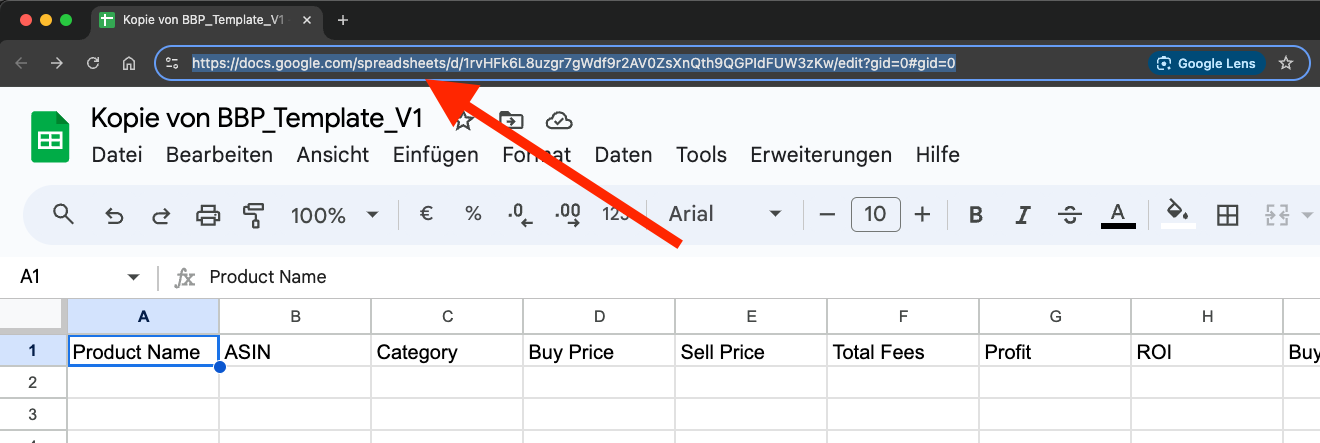
Clicca nella barra degli indirizzi del browser e seleziona l'URL completo. Copialo negli appunti (CTRL + C o tasto destro > Copia).
## **Passo 4: Copiare l'URL**
Clicca nella barra degli indirizzi del browser e seleziona l'URL completo. Copialo negli appunti (CTRL + C o tasto destro > Copia).
 ## **Passo 5: Incollare l'URL in ArbitrageOne**
→ Apri direttamente nell'app: [app.arbitrageone.de/googlesheets](https://app.arbitrageone.de/googlesheets)
Ora incolla l'URL del Google Sheet in ArbitrageOne.
## **Passo 5: Incollare l'URL in ArbitrageOne**
→ Apri direttamente nell'app: [app.arbitrageone.de/googlesheets](https://app.arbitrageone.de/googlesheets)
Ora incolla l'URL del Google Sheet in ArbitrageOne.