> ## Documentation Index
> Fetch the complete documentation index at: https://docs.arbitrageone.de/llms.txt
> Use this file to discover all available pages before exploring further.
# Configuración BuyBotPro
> Configura BuyBotPro para usarlo con ArbitrageOne.
Todas tus fuentes de compra se almacenan cifradas y solo pueden descifrarse con tu cuenta. Nunca tenemos acceso a tus fuentes en texto plano.
**Importante:** Tras crear el sheet en ArbitrageOne, ya no debes editar el sheet ni eliminar filas.
## **Paso 1: Conectar tu cuenta Google con BuyBotPro**
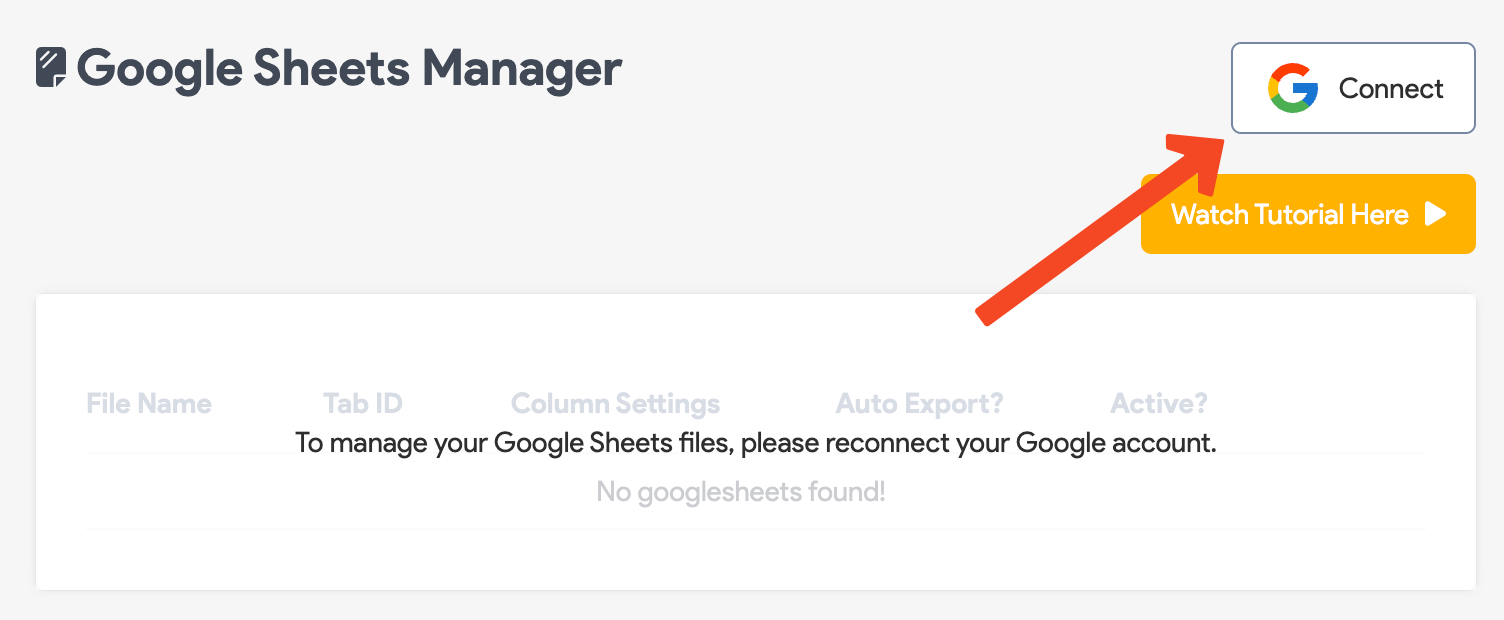
Haz clic en **Connect** y sigue las instrucciones para vincular BuyBotPro con tu cuenta Google.
 ## **Paso 2: Crear un Google Sheet**
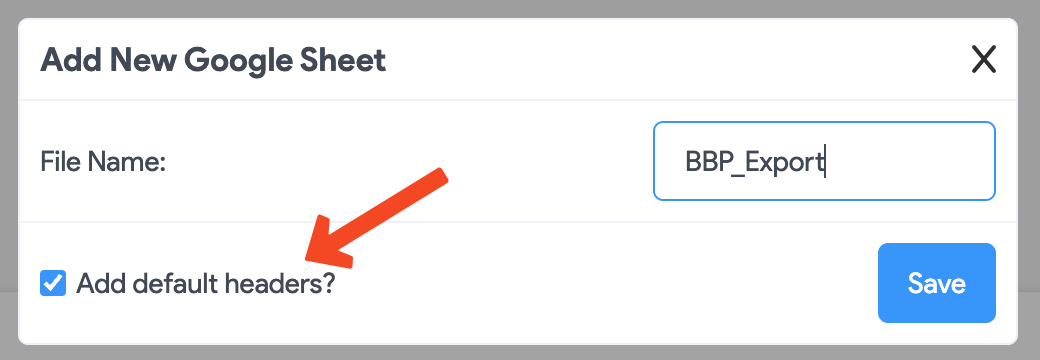
Haz clic en **"Add default headers?"** y luego en **Save**.
## **Paso 2: Crear un Google Sheet**
Haz clic en **"Add default headers?"** y luego en **Save**.
 **Abre el Google Sheet en una nueva pestaña. Para ello haz clic en el siguiente botón.**
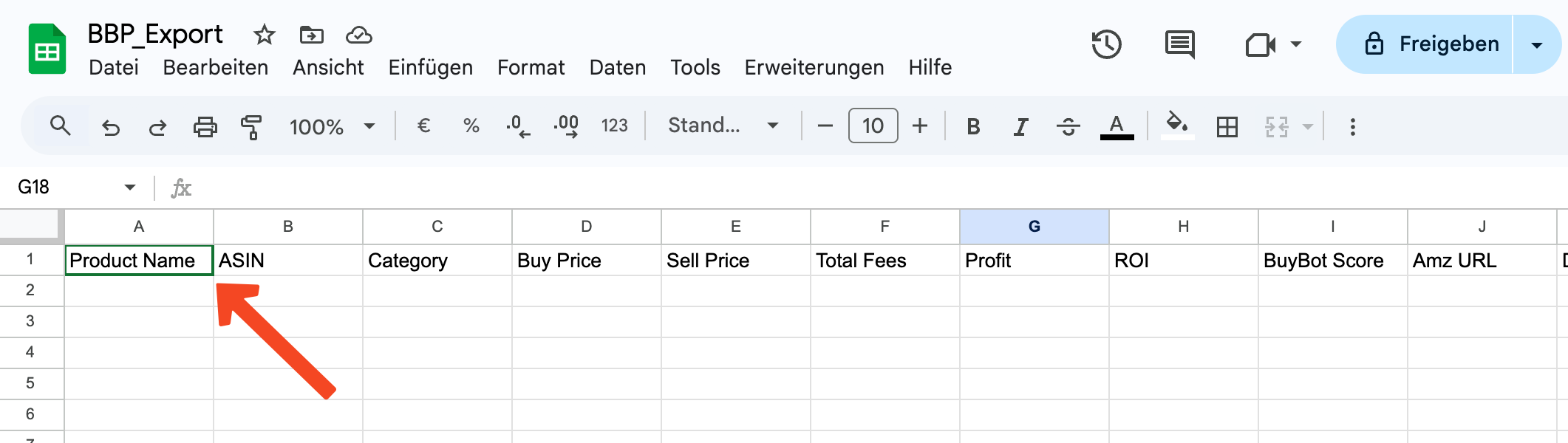
**IMPORTANTE: comprueba que los encabezados (headers) están presentes en la primera fila. Si no, ArbitrageOne no puede importar los datos.**
**Antes de compartir el Google Sheet con ArbitrageOne y BuyBotPro, debe verse así.**
**Abre el Google Sheet en una nueva pestaña. Para ello haz clic en el siguiente botón.**
**IMPORTANTE: comprueba que los encabezados (headers) están presentes en la primera fila. Si no, ArbitrageOne no puede importar los datos.**
**Antes de compartir el Google Sheet con ArbitrageOne y BuyBotPro, debe verse así.**
 **Si faltan los encabezados, haz clic [aquí](https://docs.google.com/spreadsheets/d/1Oebal-DF0Z1_k8CR65ifKhBTjXISmSYLfS73nJhxfuY/edit?gid=0#gid=0) para abrir la plantilla de BuyBotPro.**
**Copia la primera fila de la plantilla siguiente y pégala en la primera fila de tu Google Sheet.**
## **Paso 3: Compartir el Google Sheet**
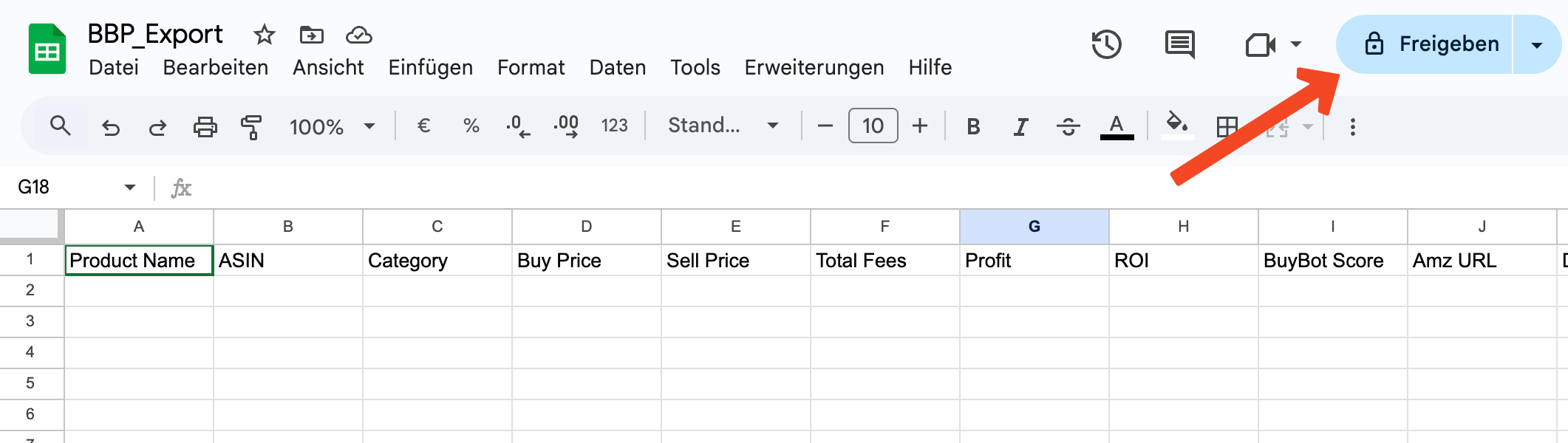
Haz clic en *Compartir* aquí.
**Si faltan los encabezados, haz clic [aquí](https://docs.google.com/spreadsheets/d/1Oebal-DF0Z1_k8CR65ifKhBTjXISmSYLfS73nJhxfuY/edit?gid=0#gid=0) para abrir la plantilla de BuyBotPro.**
**Copia la primera fila de la plantilla siguiente y pégala en la primera fila de tu Google Sheet.**
## **Paso 3: Compartir el Google Sheet**
Haz clic en *Compartir* aquí.
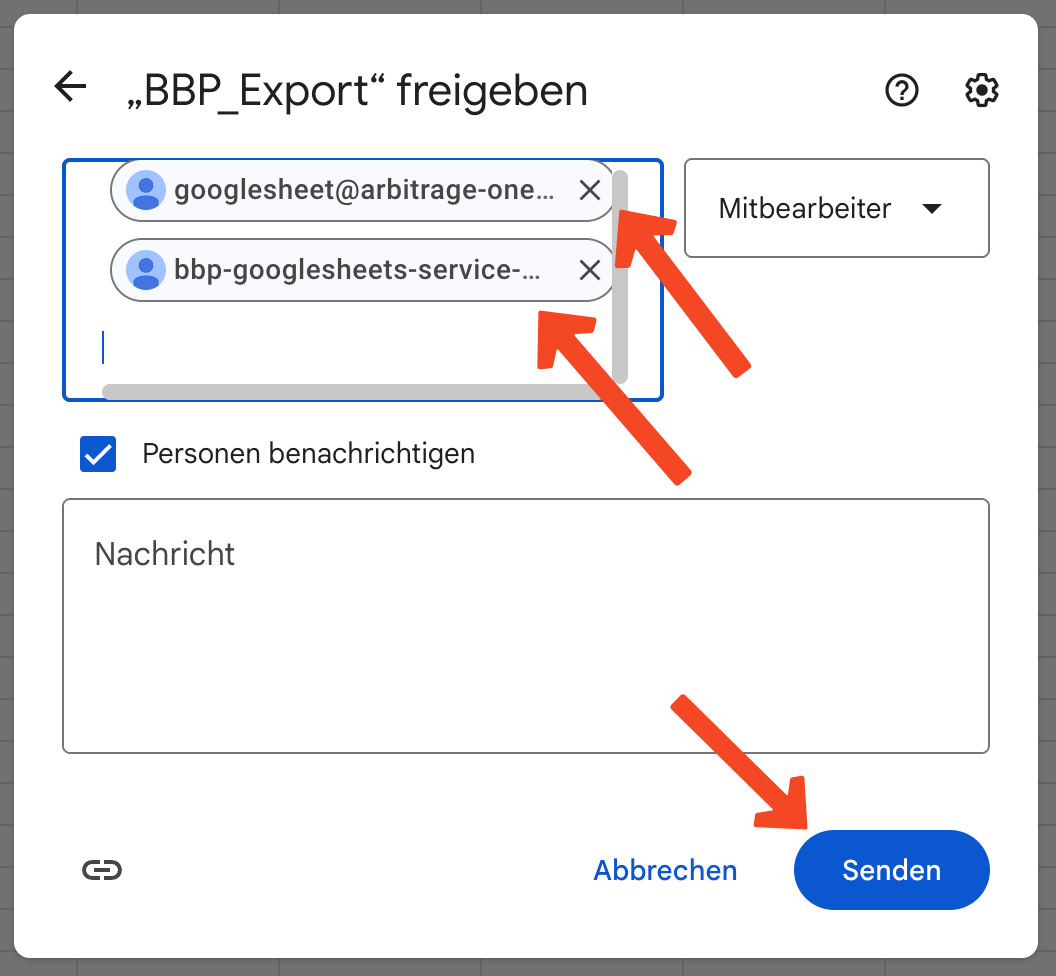
 Se abre un overlay. Añade aquí los service accounts de ArbitrageOne:
[googlesheet@arbitrage-one.iam.gserviceaccount.com](mailto:googlesheet@arbitrage-one.iam.gserviceaccount.com)
[bbp-googlesheets-service-acc@buybotpro-bbp.iam.gserviceaccount.com](mailto:bbp-googlesheets-service-acc@buybotpro-bbp.iam.gserviceaccount.com)
Nota: el service account no es una cuenta Google ordinaria. Es necesario para recuperar los datos en forma cifrada. El equipo de ArbitrageOne no puede iniciar sesión en este service account ni ver los sheets.
Todas tus fuentes de compra se almacenan cifradas y solo pueden descifrarse con tu cuenta. Nunca tenemos acceso a tus fuentes en texto plano.
Luego haz clic en *Enviar*.
Se abre un overlay. Añade aquí los service accounts de ArbitrageOne:
[googlesheet@arbitrage-one.iam.gserviceaccount.com](mailto:googlesheet@arbitrage-one.iam.gserviceaccount.com)
[bbp-googlesheets-service-acc@buybotpro-bbp.iam.gserviceaccount.com](mailto:bbp-googlesheets-service-acc@buybotpro-bbp.iam.gserviceaccount.com)
Nota: el service account no es una cuenta Google ordinaria. Es necesario para recuperar los datos en forma cifrada. El equipo de ArbitrageOne no puede iniciar sesión en este service account ni ver los sheets.
Todas tus fuentes de compra se almacenan cifradas y solo pueden descifrarse con tu cuenta. Nunca tenemos acceso a tus fuentes en texto plano.
Luego haz clic en *Enviar*.
 ## **Paso 4: Copiar la URL**
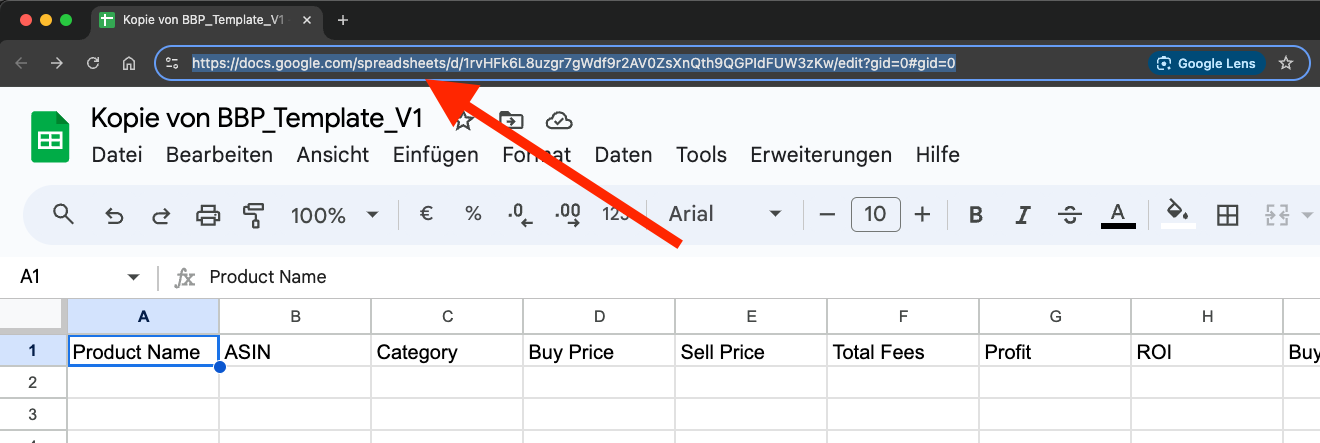
Haz clic en la barra de direcciones del navegador y selecciona la URL completa. Cópiala al portapapeles (CTRL + C o clic derecho > Copiar).
## **Paso 4: Copiar la URL**
Haz clic en la barra de direcciones del navegador y selecciona la URL completa. Cópiala al portapapeles (CTRL + C o clic derecho > Copiar).
 ## **Paso 5: Pegar la URL en ArbitrageOne**
→ Abrir directamente en la app: [app.arbitrageone.de/googlesheets](https://app.arbitrageone.de/googlesheets)
Ahora pega la URL del Google Sheet en ArbitrageOne.
## **Paso 5: Pegar la URL en ArbitrageOne**
→ Abrir directamente en la app: [app.arbitrageone.de/googlesheets](https://app.arbitrageone.de/googlesheets)
Ahora pega la URL del Google Sheet en ArbitrageOne.